Apollo Group TV multiple devices is a question about connections, not about how many gadgets exist in the house. Three separate ideas are usually mixed together: the screens where an app is installed, the screens signed in to an account, and the streams actually running at the same moment.
Once those three are separated, most of the confusion around multi-screen viewing disappears. This page explains the difference and points to where the current connection details are published, without inventing a number that could change.
What Apollo Group TV Multiple Devices Means
"Multiple devices" describes a household using one account across more than one screen. That is normal behaviour: a television in the living room, a tablet in the kitchen, a phone used occasionally. The question people actually ask is narrower — can those screens be used together, or only one at a time?
The answer depends on how a service counts connections, and services do not all count the same way. Some track how many screens have been set up. Some track how many are signed in. Most care primarily about how many are pulling a stream simultaneously. Those are three different measurements of the same household.
Understanding which measurement applies is more useful than memorising a figure. A figure can change with a plan, an update, or a policy revision. The logic behind it stays stable, which is why this page focuses on the logic. If the wider background is unfamiliar, the beginner guide on the IPTV viewing chain covers how a stream reaches a screen in the first place.
Registered Device vs Active Device
A registered device is a screen that has been prepared: the app is installed and the account details have been entered at least once. Registration is a setup state. It says the screen knows how to reach the service; it says nothing about whether the screen is doing anything right now.
An active device is a screen currently using the account — open, signed in, and requesting content. Activity is a live state. It can begin and end many times a day on the same registered screen.
Setup has happened on this screen. It may sit unused for weeks and still count as prepared.
The app is open and in use right now. This state changes constantly during a normal day.
The distinction matters because a household can easily register more screens than it ever uses at once. Preparing a phone for occasional travel does not mean that phone is competing with the living-room television every evening.
Simultaneous Connections: The Key Difference
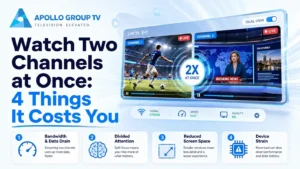
Simultaneous connections describe how many streams can run at the same moment on one account. This is usually the measurement that determines whether a second screen can start playback while the first is still watching.
It is the strictest of the three ideas, and the one most likely to produce a visible message. A screen can be registered, signed in, and still be told that no further stream can start — because the limit applies to concurrent activity, not to setup.
Reading a limit correctly means asking which state it applies to. "How many screens can be set up" and "how many can stream together" are different questions with different answers, and only the second one interrupts a viewing session.
How Sessions Can Behave Across Screens
A session is the period during which a screen is recognised as using the account. Sessions do not always end the instant a viewer stops watching. Closing an app, switching inputs, or letting a device sleep may not immediately release the connection on the service side.
This explains a common surprise: a viewer finishes on one screen, moves to another, and finds the second screen behaving as though the first is still connected. Nothing has necessarily gone wrong. A session may simply need a moment to close, or may need the app to be exited properly rather than left running in the background.
Ending a session is not the same as closing a screen
Turning off a television is a hardware action. Signing out, or fully exiting the app, is an account action. When a household regularly moves between screens, the second habit matters more than the first, because it is the one the service can observe.
Household Scenarios That Create Confusion
Most multi-screen questions come from ordinary situations rather than unusual ones. Recognising the pattern usually explains the behaviour.
None of these situations means the account is broken. They usually mean the difference between registered, signed in, and streaming has not been separated yet. The same logic applies to how content areas appear on each screen, which is covered in Apollo Group TV EPG and content layout.
Where to Check the Current Device Allowance
Connection allowances are commercial terms, and commercial terms change. Plans get revised, options get added, and any number written into an evergreen article can quietly become wrong. That is why this page does not state one.
The reliable approach is to read the terms attached to the option being purchased, at the moment of purchase, rather than relying on a figure remembered from an article or a forum. If the connection details are not clear from the plan description itself, that is a question for support before buying rather than after.
To see what is currently offered, compare current plan options on the commercial page. The account-to-screen flow behind those options — from access details through to playback — is explained separately in how Apollo Group TV works.
Common Mistakes Before Changing Devices
A few habits cause most of the avoidable friction when a household adds, moves, or replaces a screen.
Final Device Checklist
Before adding or moving a screen, run through the state of the household rather than the number of devices in it.
- Count active screens, not owned screens.
How many are realistically streaming at the same time? - Close sessions properly.
Exit or sign out rather than only switching off the display. - Review old registrations.
Replaced or unused devices may still be prepared on the account. - Keep details inside the household.
Access information is private, not a way to extend a plan. - Check the current terms.
Read what the plan states now, not what was true previously. - Change one thing at a time.
It keeps cause and effect visible if something behaves unexpectedly.
Connections, Not Gadgets
The clearest way to think about Apollo Group TV multiple devices is to stop counting hardware and start counting connections. Registration prepares a screen, signing in identifies a session, and simultaneous streaming is what an allowance usually measures.
That framing survives plan changes, app updates and new televisions, because it describes how the account relates to the screens rather than how many screens sit in the house. For the service overview and the options published at any given time, Click here to visit the main website.