You type the title exactly as you remember it. Nothing comes back. You conclude the library does not have it, and go and watch something else.
Quite often it was there. The reason people struggle to find movies on IPTV is that the search box compares text to text rather than understanding what you meant, and a library entry that differs by a single character will not match. Six adjustments fix almost all of it.
Why Exact Titles Often Fail
Search in most players looks for your text inside the stored name. There is no correction of spelling, no understanding of synonyms, and usually no allowance for punctuation. The stored name is whatever the library holds, which is frequently not the title as you know it.
Illustrative patterns rather than real titles. The behavior is what matters: longer queries match less often, not more.
This is counterintuitive. With a web search engine, more detail usually helps. Here it does the opposite, because every extra word is another chance for your text to diverge from the stored one.
The industry is aware of the limitation. Trade coverage of how platforms are rebuilding content discovery notes that improved search still fails to surface less prominent titles, which is precisely the gap these tricks work around.
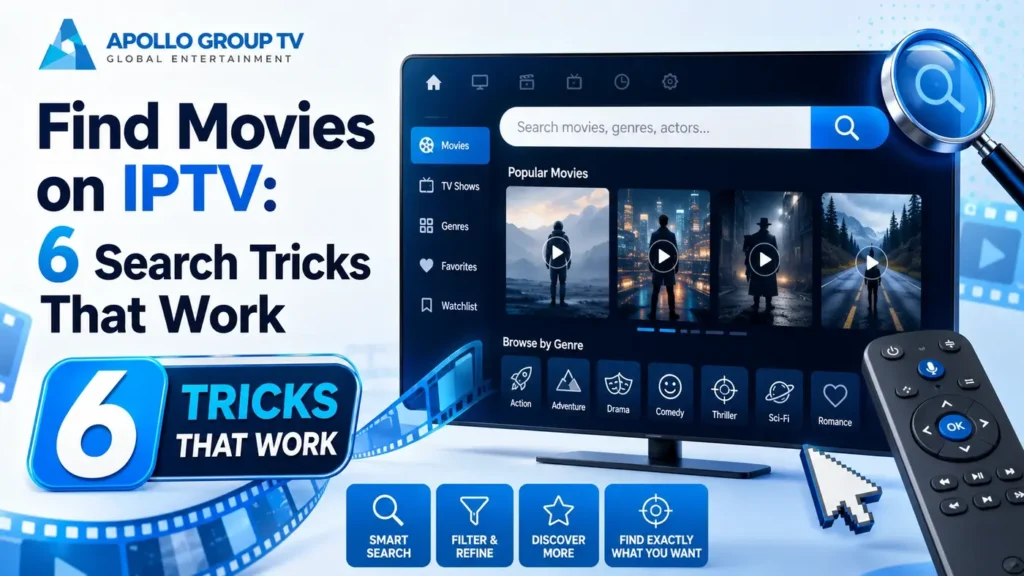
Six adjustmentsSix Tricks That Work
Try them roughly in this order. The first one alone solves the majority of failed attempts to find movies on IPTV, and the rest cover most of what remains.
- Search the most distinctive fragment, not the title Pick the two or three least common words and type only those. Distinctive words appear in few entries, so a short query is both more likely to match and still specific enough to be useful. Instead of a seven-word title, try the two unusual words in the middle
- Drop leading articles Libraries frequently store names without a leading "The" or "A", or move it to the end. Starting your query after the article avoids the problem entirely. Type "silent hour" rather than "the silent hour"
- Remove all punctuation and the year Colons, hyphens, apostrophes and years are the most common source of a failed match. Type letters and spaces only. Type "midnight run" rather than "Midnight Run (2018)"
- Try the original-language title International releases are often stored under their original name rather than the translated one, particularly for movies that were never widely released in English. Search the original title if the translated one returns nothing
- Search the franchise or series name Entries belonging to a series usually share a common prefix. Searching that prefix returns all of them at once, which is faster than guessing which numbering convention was used. Search the series name alone and read the results list
- Search a person's name Where the player indexes cast and director information, an actor's surname finds everything they appear in. Where it does not, this returns nothing, which itself tells you what the search covers. Try a surname alone to test what fields are searchable
Two or three words is the sweet spot. Shorter than that returns too much to read, longer than that starts failing. If a search returns nothing, shorten it before assuming the title is absent.
Decoding Library Naming
Library entries often carry tags around the name. They look like clutter, and they are the reason a lot of searches miss, so they are worth being able to read.
| What you see | What it means | Effect on search |
|---|---|---|
| EN | FR | ES | Language of the audio track | Often a prefix, so a query starting with the title will still match |
| 4K, FHD, HD | Quality tier of that copy | Usually a suffix. The same movie may appear several times |
| MULTI, VOSTFR | Several audio tracks, or subtitled original audio | Harmless, but explains apparent duplicates |
| S01 E04 | Season and episode numbering for series | Search the series name, not the episode title |
| Trailing dates | Release year appended to the name | Include it only if you know the exact format used |
Conventions vary between libraries. Browsing one category for a minute shows you which set yours uses, which makes every later search more accurate.
Duplicates are normal rather than an error. The same movie listed three times usually means three quality tiers or three language versions, and picking the one that matches your setup avoids a needless quality drop.
Put the keyboard downWhen Browsing Beats Searching
Search answers a specific question. It is the wrong tool when you do not have one, and three situations favor browsing instead when you set out to find movies on IPTV.
No query expresses "a comedy from the nineties". Category browsing does exactly that, and it is what categories exist for.
Recently added sections show what changed since last time. Searching cannot reveal something you do not know exists.
Three failed queries means browsing the relevant category is faster. It also shows you the naming convention, which fixes future searches.
Browsing works far better once the library is not overwhelming, which is the same job favorites and hidden categories do for live channels. Our guide to how to organize IPTV channels covers reducing what you scroll through in the first place.
Build a shortlist instead of searching twice
Most players let you mark on-demand titles as favorites in the same way as channels. The habit worth building is marking something the moment you notice it rather than trusting yourself to find it again, because the second search is usually harder than the first: you remember the film but not the exact wording that worked.
This matters more than it sounds on a large library. Titles that took three attempts to locate are the ones most likely to defeat you a second time, and a shortlist removes the problem permanently for a couple of seconds of effort.
Final checkTelling Absent From Unfindable
At some point you need to decide whether to keep looking. This sequence settles it in about two minutes.
Start by searching a single distinctive word from the title. If that returns nothing, search a word you know exists in the library, such as a common genre term, to confirm search is working at all. A search that returns nothing for everything points at the app rather than the catalog.
Next, browse the category the title would belong to and sort alphabetically. This catches entries stored under an unexpected name, which is the single most common reason something appears to be missing. If it is not there either, check whether the library holds anything else from the same year or series, since a gap in an entire era usually means that part of the catalog was never included.
Only after all three does absence become the reasonable conclusion. Libraries change over time, so something missing today may appear later, and checking a recently added section occasionally is more productive than repeating the same search.
If search behaves oddly across the board rather than for one title, that is a different problem. Our overview of IPTV app features covers how to tell whether something belongs to the player, the service, or a setting. apollo television group plans are set out in full if you are still deciding which service to use.
Frequently Asked Questions
Why can I find movies on IPTV in one category but not through search?
Because search matches the stored name while browsing shows you what that name actually is. A title stored with a prefix, a tag or a different spelling sits perfectly visible in its category and remains invisible to a query built from the title you had in mind.
Does search cover live channels and the library together?
It depends on the player. Some search everything at once, others treat live channels and on-demand as separate areas with separate search boxes. If a title you know exists returns nothing, check whether you are searching the right section.
Why does the same movie appear several times?
Different quality tiers or different language versions, each stored as its own entry. Pick the one matching your screen and preferred audio rather than the first result.
Is there a way to see everything at once?
Most players let you sort a category alphabetically or by date added, which is the closest thing to a full listing. On a large library it is impractical to read end to end, which is why narrowing by category first is worth the extra step.