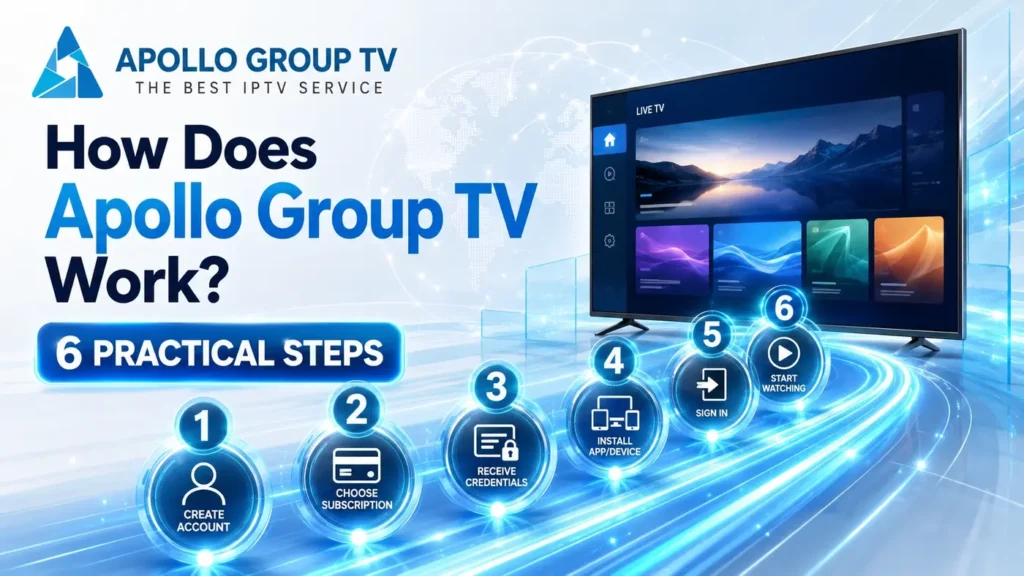
Account-to-screen map
How does Apollo Group TV work? At a basic level, the user moves from account details to credentials, opens the app viewing layer, requests something to watch, and sees the playback output on a selected screen. This guide explains that path without turning it into sales copy, installation steps, or troubleshooting.
How Does Apollo Group TV Work at a Glance
The useful way to understand Apollo Group TV is to separate the commercial website, the account details, the credentials, the app or player layer, and the screen. Each part has a different job. When those jobs are mixed together, beginners often confuse choosing a plan, signing in, opening an app, and solving playback issues.
The broader IPTV concept is explained in the beginner guide on the IPTV delivery chain. This page narrows the focus to Apollo's user flow: what happens after a person has an account path and wants to understand how that access becomes something viewable on a screen.
A useful mental model is a relay, not a single button. The account side identifies access, the app side gives the viewer controls, the request side asks for the selected item, and the screen side displays the result. Later pages about EPG layout or multiple-device behavior can attach to this relay without forcing every detail into one beginner page.
Step 1: Start from Account Details, Not Installation
The first part of the flow is not the app icon and not the television. It is the account side: the information that identifies the user and connects that user to the service path. That is why the first decision should be understood as access setup, not a device tutorial.
This matters because installation and access are different problems. A person can install an app and still not understand what the credentials do. Another person can have account details ready but still need to choose the correct viewing layer. Keeping those two ideas separate makes the rest of the process easier to follow.
For example, a reader who asks "where do I enter my details?" is not asking the same question as a reader who asks "which TV box should I use?" The first question belongs to the access flow. The second belongs to setup choice.
Reader rule: account details explain who is trying to access the service; installation only explains where an app is placed.Step 2: Credentials Identify the Access Session
Credentials are the bridge between the user and the viewing environment. They are not the same thing as a device, a channel list, a playback setting, or an app download. Their role is to identify the access session so the app or player can request the available viewing data for that account path.
That is the cleanest answer to how does Apollo Group TV work from the user's side: the account identifies the relationship, and the credentials let the viewing layer know which access session is being used. If those credentials are mistyped, missing, expired, or entered in the wrong place, the flow stops before playback can even be judged.
This section explains the role of credentials; it does not diagnose login errors or replace support instructions.Step 3: The App Acts as the Viewing Layer
The app is the place where the user navigates. It may show live areas, on-demand areas, account-related access fields, search, categories, guide information, and player controls depending on the version and setup. The app is not the service by itself; it is the viewing layer that gives the user a way to interact with the access path.
This difference keeps the page from becoming an installation guide. Installing an app answers "where do I put the software?" Understanding the app layer answers "where does the viewer enter access and choose what to watch?" Those are related, but they are not the same intent.
This layer is also why two users can talk about the same service but describe different screens. Their device, app version, player layout, and remote-control flow can change the surface experience while the account-to-screen logic stays the same.
Useful boundary: app equals navigation and playback layer; service equals the access and content side behind it.Step 4: A Content Request Travels to the Service Side
When the viewer selects something, the app does not magically create the stream on the device. It sends a request through the internet connection, and the service side responds with the data needed for the app or player to continue the viewing session. MDN's overview of HTTP is useful here because it explains the general client-server request model without tying the idea to any IPTV seller.
For Apollo Group TV, this is best explained as a conceptual path rather than a claim about private infrastructure. The viewer chooses something in the app, the app requests what it needs, and the playback layer uses the response to continue toward the screen.
Keep it neutral: request and response explains the basic pattern, not a hidden technical promise about Apollo's systems.Step 5: The Screen Receives the Playback Output
The final visible result is the screen output. That screen might be a television, a phone, a tablet, a computer, or another supported viewing device depending on the app path and the user's setup. The important point is that the screen is the output stage, not the whole system.
If the screen shows playback, several earlier parts already worked: the account path was recognized, credentials were accepted by the viewing layer, the app requested content, and the player moved from selection to output. If the screen does not show what the user expects, the problem could sit in any one of those earlier layers, which is why this page stays focused on the flow instead of jumping into troubleshooting.
That separation also helps beginners ask better questions. "The app opens but I cannot find the guide" is different from "the screen never reaches playback." One points toward layout and navigation; the other points somewhere earlier in the path.
Do not judge the entire service only from the screen; the screen is the final output of multiple earlier steps.Step 6: Next Steps Depend on What the User Needs
After the user understands the account-to-screen path, the next step depends on the question they are really asking. If the question is about guide rows, content areas, search, or categories, that belongs to the Apollo Group TV EPG and content layout page when it is live.
If the question is about several screens, simultaneous use, or how sessions relate to one account path, that belongs to the Apollo Group TV multiple devices page when it is live. Keeping those topics separate makes this flow easier to understand and leaves each next question with a cleaner destination.
This page explains the flow; layout and multi-device decisions stay in their own pages.What This Flow Does Not Cover
This flow is not a promise of immediate access, fixed device allowance, fixed quality, recording features, or a certain playback result. Those claims belong on pages that can be checked and updated directly, not inside an evergreen guide about how the account-to-screen path works.
It is also not a login troubleshooting page. If a user cannot sign in, cannot find the right field, or sees an error, that is a support problem with its own intent. This guide stays at the explanation layer so it does not collide with later troubleshooting content.
Account to Screen, One Layer at a Time
How does Apollo Group TV work? The practical answer is a six-step path: account details, credentials, app layer, content request, playback output, and the next page that matches the user's real need.
That is the clean map beginners need first.
For a broader starting point on the service website, Apollo Television Group can be reviewed from the homepage. Keep this page as the map: it explains the route from access to screen without turning every next question into the same guide.