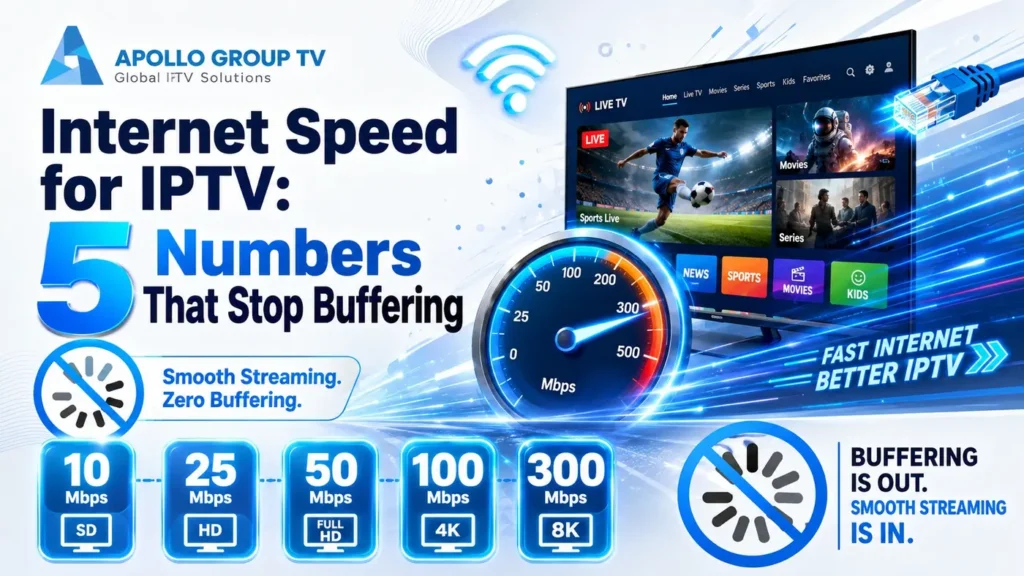
One television streaming in 4K needs roughly 25 Mbps. A household with three screens running at once needs closer to 90.
That gap is why a single figure never answers the question properly. The internet speed for IPTV you actually need depends on resolution, on how many people watch at the same time, and on how steady your line stays in the evening. Here are the five numbers that decide it.
What One Stream Actually Costs You
Every channel you open pulls a continuous flow of data. The higher the resolution, the heavier that flow. These are the working figures to plan around for a single stream, with nothing else happening on the connection.
| Resolution | Typical requirement | What it suits |
|---|---|---|
| SD (480p) | 3–4 Mbps | Phones, tablets, older sets, news and talk channels |
| HD (720p) | 5–8 Mbps | Most live channels on a mid-size television |
| Full HD (1080p) | 8–12 Mbps | The realistic default for a main living-room screen |
| 4K | 25–35 Mbps | Large televisions, fast-motion sports, movie libraries |
Ranges rather than fixed figures, because compression matters. Two channels at the same resolution can differ by several Mbps depending on how they are encoded and how much movement is on screen.
Live sports sit at the top of every range. Fast motion gives the encoder less to work with, so a live game consumes noticeably more than a studio show at identical resolution.
Why the label liesTwo 4K Channels Can Need Very Different Speeds
Resolution is only one of four things that set the bitrate of a stream, which is why the internet speed for IPTV that works on one channel can fall short on another carrying the same label.
The codec does most of the work
H.264 has been the standard for years and is supported by essentially every device ever built. H.265, also called HEVC, reaches comparable quality at roughly half the bitrate. A 4K channel delivered in HEVC may sit near 15 Mbps where the same content in H.264 needs 30. If your player or television is old enough to lack hardware HEVC decoding, you will be served the heavier version and pay for it in bandwidth.
Frame rate changes the arithmetic
A channel running at 50 or 60 frames per second carries roughly twice as many images per second as one at 25 or 30. Sports and news are commonly delivered at the higher rate because motion looks cleaner, and that alone can push a stream well above the figure its resolution suggests.
Source quality sets a ceiling
Some channels are produced and distributed at a lower quality than the resolution they are listed under, then upscaled. That works in your favor on bandwidth and against you on picture. It also explains why one 4K channel looks noticeably sharper than another on the same television.
The practical consequence is simple: plan around the heaviest channel you genuinely watch rather than the average. If your viewing is mostly live sports in 4K, size the connection for the top of the range, not the middle.
The measurements that matterThe Five Numbers to Write Down
Run a speed test from where the television actually sits, not from your desk, and note these five. Together they explain almost every playback problem that gets blamed on a provider.
1. Download speed measured at the device
Target: comfortably above your resolution's rangeThis is the number everyone checks, and the one most people measure in the wrong place. A test run beside the router reports what the router receives. What matters is what survives the trip to the far end of the house. If the device has a browser, test on it directly. If not, stand where it sits and test from a phone on the same band.
2. Number of streams running at once
Target: know your realistic peak, not your averageYour connection is shared, and two televisions do not politely take turns. Count the screens that could run simultaneously on a Sunday evening, not the one you use on a quiet Tuesday. Also check the limit that applies to your plan, because exceeding the number of allowed connections produces errors that look exactly like a slow network.
3. Ping
Target: under about 100 msPing measures the round trip to the test server. It has little effect on picture quality but a large effect on how responsive the interface feels. High ping is why channel changes take several seconds and why the guide feels sluggish even when playback itself is clean.
4. Jitter
Target: under about 30 msJitter is how much that round trip varies from one moment to the next, and it is the number almost nobody looks at. A connection with 200 Mbps download and terrible jitter will freeze; a connection with 40 Mbps and low jitter will not. If your speed test looks excellent and your streams still stutter, this is usually the reason.
5. The evening versus afternoon gap
Target: evening result above half the afternoon resultRun the same test twice: once mid-afternoon, once between 8pm and 10pm on a weekday. If the evening figure collapses, the bottleneck is congestion rather than your equipment, and no router adjustment will recover it. That single comparison saves hours of pointless troubleshooting.
Test three times per session and take the middle result. A single test can land on a busy server or catch a momentary dip. Three runs, thirty seconds apart, gives you a figure worth acting on.
Three Households, Three Answers
Add the requirement of each screen that runs at peak, then add roughly a third on top as headroom for updates, backups and background traffic. Here is that calculation for three real shapes of household.
- 1080p television — 10 Mbps
- Phone in the background — 4 Mbps
- Headroom — a third
- 4K living-room set — 25 Mbps
- 1080p second screen — 10 Mbps
- Phones and tablets — 9 Mbps
- Headroom — a third
- Two 4K screens — 50 Mbps
- 1080p third screen — 10 Mbps
- Work video call — 5 Mbps
- Headroom — a third
Notice that the jump from one screen to three is far steeper than most people assume. It is also worth separating speed from volume: a fast connection with a monthly cap can still run out. Our breakdown of data your streams use covers the hourly consumption behind each of these figures.
Consumer Reports maintains a household bandwidth calculator that works the same way across every activity in the home, useful if your household includes gaming or camera traffic alongside television.
If the numbers fall shortYou're Below the Number — Now What?
Falling short on internet speed for IPTV has three possible answers, and picking the wrong one wastes either money or an evening. The test result tells you which applies.
Upgrade the plan
The most expensive answer and the right one only in specific circumstances: when a wired test taken directly at the router is also below what you need. That proves the shortfall arrives from outside your house.
Choose this when: the wired result at the router is low, and the evening figure is close to the afternoon one.
Lower the stream quality
Dropping a channel from 4K to Full HD frees more than half the bandwidth, and on a television under about 50 inches at normal viewing distance the difference is far smaller than the numbers suggest.
Choose this when: you are 10–20% short, or the problem only appears when several screens run together.
Fix the local network
The most common answer and the cheapest. If the router test is healthy but the device test is not, the loss is happening inside your house: distance, walls, band choice or an overloaded wireless channel.
Choose this when: the wired test at the router is fine but the reading at the television is much lower.
That third case is the one worth working through properly before spending anything, because a cable or a band change often recovers more than a plan upgrade would. Our guide to IPTV home network setup walks through it in order, and if you are still weighing up which service to run, apollo television sets out what each plan covers.
Frequently Asked Questions
Is 100 Mbps enough internet speed for IPTV?
For most households, comfortably. It covers two 4K streams plus normal background traffic with room to spare. The exception is a connection that is nominally 100 Mbps but unstable, where the average looks fine and the dips still interrupt playback.
Does upload speed matter for watching television?
Barely, for viewing itself. It matters if the same household makes video calls or uploads files while someone streams, because a saturated upload path can delay the acknowledgements that keep the download flowing smoothly.
Why does my stream buffer when the speed test says 200 Mbps?
Almost always jitter or a brief dropout rather than bandwidth. A speed test reports a ten-second average and hides short interruptions, which is exactly what live video cannot tolerate. Check jitter and run the test in the evening.
Do I need more speed for live sports than for movies?
Yes, at the same resolution. Rapid movement gives the encoder less repeated detail to compress, so bitrate rises. If your setup handles movies but struggles during games, you are near the edge of your available bandwidth.