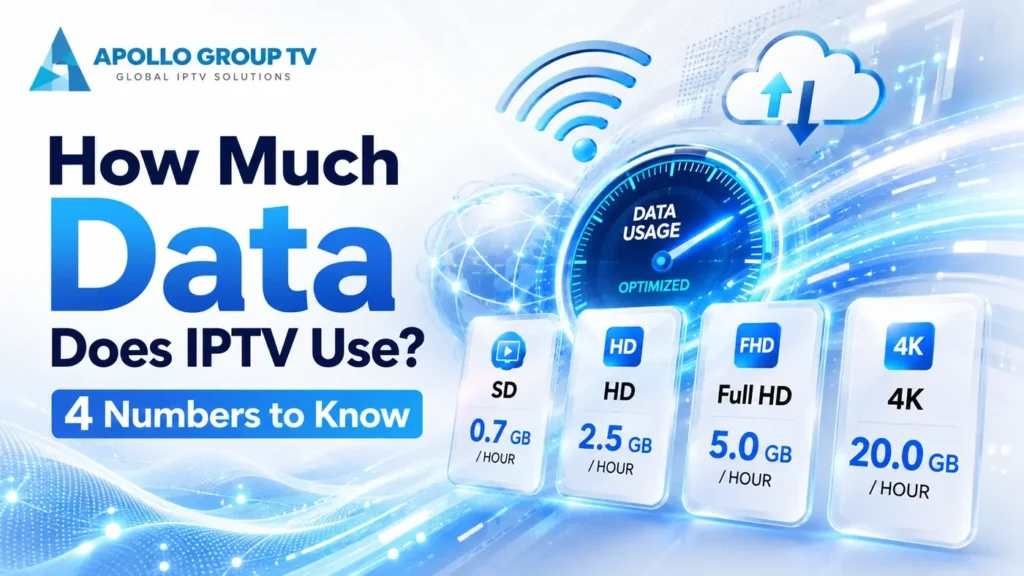
Speed and volume get confused constantly, and they are not the same thing. Speed is how wide the pipe is. Volume is how much water comes out of it over a month, and only one of those appears on your bill as a problem.
Working out how much data does IPTV use in your household takes four numbers and about two minutes of arithmetic. Here they are, along with the monthly totals they produce and what to do if the answer is uncomfortably close to your allowance.
The Four Numbers That Decide Your Monthly Total
Everything else is detail. Get these four right and your answer to how much data does IPTV use in your home will be close enough to plan around.
Gigabytes per hour by quality
| Quality | Per hour | Three hours a night, per month |
|---|---|---|
| SD (480p) | 0.6–0.9 GB | ~70 GB |
| HD (720p) | 1.2–1.8 GB | ~135 GB |
| Full HD (1080p) | 2.5–3.5 GB | ~270 GB |
| 4K | 6–10 GB | ~630 GB |
Planning ranges rather than meter readings. Actual consumption varies with the codec in use and how much movement is on screen — live sports sit at the top of every range, a studio show near the bottom.
The jump from Full HD to 4K is the one that matters. It roughly doubles or triples consumption for a difference that is barely visible on a television under about fifty inches at normal viewing distance. That single setting has more effect on your monthly total than every other choice combined.
Do the arithmeticWorking Out Your Actual Usage
The formula is deliberately simple, because precision beyond this is false confidence.
Example: family of four, mixed viewing
That household is close to a typical allowance and does not realize it, because no single figure in the list looks alarming. Now the same house with one change, the living-room television capped at Full HD:
Same family, one setting changed
A third of the household's consumption removed by one menu change, with no reduction in viewing hours at all.
Check your real hours before trusting the estimate. Most people underestimate by a considerable margin, because a television left running while nobody watches consumes exactly as much as one being watched attentively.
How That Compares to a Typical Data Cap
Many US home internet plans still carry a monthly allowance, commonly around one terabyte. Fiber and some newer plans have none at all, which is worth checking before you worry about any of this.
Bars shown against a one-terabyte allowance. The last two rows are where households actually get caught.
What happens when you pass it
Two things, depending on the provider. Some charge for each additional block of data, which appears on the bill without warning. Others reduce your speed for the remainder of the billing cycle, which produces streaming problems that look exactly like a network fault and are impossible to diagnose if you do not know the cap exists.
That second case is worth remembering. If your picture degrades reliably in the last week of every month and recovers when the bill resets, you have found your answer and no amount of router work will help. BroadbandNow keeps a guide to household data requirements covering how caps differ between providers.
Check your estimate against the real meter
Arithmetic is a starting point, not a verdict. Almost every provider publishes a usage meter inside the account portal, updated daily, and comparing it against your calculation is the fastest way to find out whether your assumptions hold.
Look at two things in particular. First, the shape across the month: usage that climbs steadily matches viewing habits, while a sudden spike on one day is almost always a large download rather than television. Second, the gap between your estimate and the meter. If the meter reads considerably higher, something in the house is consuming that you have not accounted for, and finding it is more useful than adjusting any streaming setting.
Spend less, watch the sameFive Ways to Cut Data Without Cutting Viewing
None of these reduces how much you watch. They change how much data does IPTV use per hour, which is a different lever entirely.
1. Cap the living-room television at Full HD
The single largest saving available, as the worked example above shows. Set it in the player's quality settings rather than leaving it automatic, and raise it again for anything genuinely worth 4K.
Typical saving: 40–60% of your total
2. Put phones and tablets on SD
4K on a six-inch screen is data spent on detail the eye cannot resolve at that size. Most players have a separate quality setting per device, so this costs nothing in perceived quality.
Typical saving: 5–10%
3. Turn the television off, not just the volume
A stream left running in an empty room consumes at full rate. Enable the sleep timer or the inactivity prompt if your player has one, and it will stop asking your allowance for shows nobody is watching.
Typical saving: highly variable, often substantial
4. Switch off autoplay
Automatically starting the next item means hours of playback continue after you have stopped paying attention, most often overnight. One setting, and it applies every night thereafter.
Typical saving: 5–15% in households that leave it on
5. Look at what else is consuming
Game downloads, cloud photo backups and system updates can rival video for volume, and unlike video they are invisible. Most routers list usage per device, which is the quickest way to find a consumer you did not know about.
Typical saving: depends entirely on what you find
When Data Isn't Your Problem
If your plan has no cap, none of the above affects anything you pay, and your streaming problems have a different cause entirely. The distinction is worth being clear about, because working on the wrong one wastes time.
Volume decides your bill. Speed decides whether the picture holds together. A household can sail past its allowance while streaming flawlessly, and another can have unlimited data and constant freezing. If yours is the second, the guide to internet speed you need covers the bandwidth side, and the ordered sequence in our IPTV home network setup guide works through the rest.
Either way, knowing your monthly figure removes one variable permanently, which is the point of doing the arithmetic at all. apollo group television plans are set out in full if you are still deciding what to run once the numbers make sense.
Frequently Asked Questions
How much data does IPTV use compared to other streaming?
Essentially the same, because consumption is set by resolution and encoding rather than by the service delivering it. An hour of 4K costs roughly the same wherever it comes from. Live channels can sit slightly higher because live encoding has less opportunity to optimize than pre-prepared files.
Does pausing a stream stop it consuming data?
Mostly, though players often continue buffering ahead for a short period after a pause. Leaving something paused for an hour uses far less than playing it, but it is not quite zero.
Do live channels use more than on-demand content?
Slightly, at the same resolution. Live encoding happens in real time with no chance to re-analyze, and sports in particular carry more motion. The difference is usually well within the ranges given above.
How do I find my provider's data cap?
It appears in your account portal, usually under usage or billing, and in the plan terms. If a usage meter is available there, compare it against your calculated estimate — a large discrepancy usually means something other than television is consuming heavily.