What is an EPG, and why can a stream play even when its guide looks empty?
An electronic program guide is the schedule-data layer that places program titles, start times, end times and descriptions beside the correct live stream. It does not carry the video itself. The app receives guide records, matches them to channel identities and arranges them as a timeline that people can scan on screen.
What Is an EPG? The Schedule Layer Explained
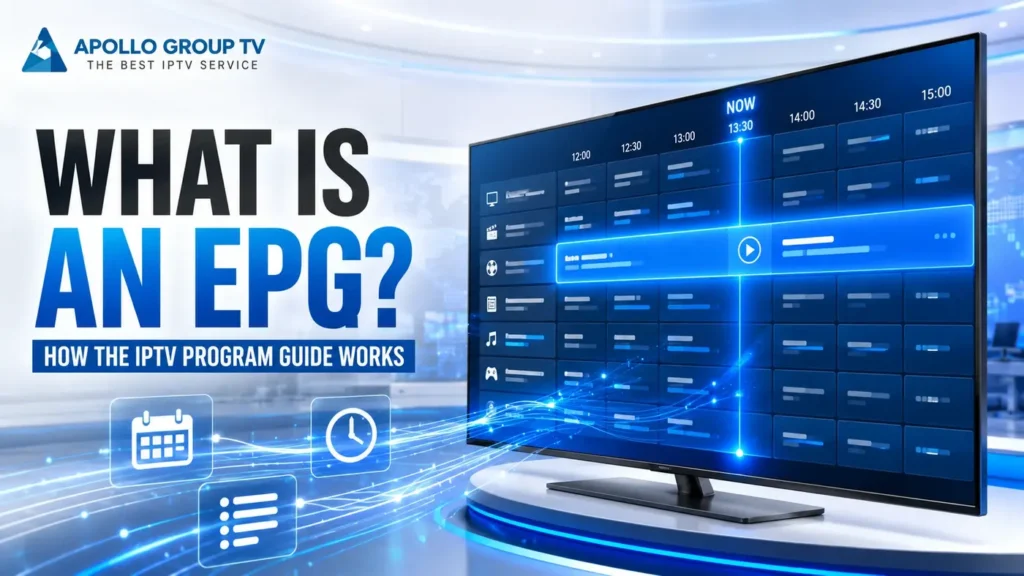
EPG stands for electronic program guide. In an IPTV app, it is the organized set of listings that tells the interface what is scheduled now and what comes next. The familiar grid is only the visible result. Behind it sits structured information associated with each channel row.
A useful way to answer what is an EPG is to separate information from playback. The guide describes a scheduled item; the stream delivers moving pictures and sound. Selecting a guide cell may open its matching stream, but the cell is not the stream and does not contain the video.
The broader definition of an electronic program guide covers continuously updated on-screen schedule menus. In IPTV, the same idea depends on guide records reaching an app and being matched to the proper stream identity.
Channel ID, Title, Start and Stop Time: Core EPG Fields
A guide needs enough information to answer four practical questions: which channel row should receive the listing, what label should appear, when should it begin and when should the next block take over. Formats and providers can represent these details differently, but the app still needs a reliable identity and usable timing data.
Channel identity
A stable identifier gives the app a key for associating schedule records with one channel row.
Program title
The visible label helps the viewer distinguish one scheduled block from the next.
Start time
The beginning timestamp determines where the listing sits on the guide timeline.
End boundary
An end time, duration or following record can establish when the visible block finishes.
Extra fields may supply a description, category, language marker or other metadata. Their presence varies. A title can appear while a description is absent, and an app may display a basic time block even when richer details were never supplied.
XMLTV is one common way of expressing television-listing data, but EPG is the wider concept. A beginner does not need to inspect markup to understand the guide: identity plus time is the essential relationship.
From Listing Feed to Screen: The Four-Stage EPG Flow
The schedule on a television screen is the last stage of a data process. Thinking in stages makes it easier to understand why a visible grid can be incomplete even while other parts of the service continue to work.
Records are prepared
Schedule information is assembled into structured entries with identities, titles and timing details.
Data is delivered
The listing feed reaches the application separately from the continuous video stream.
Rows are matched
The app compares guide identities with the identities attached to available channel entries.
The grid is rendered
Matched records are positioned by time and displayed as now, next and later blocks.
This listing flow complements the IPTV delivery chain, which follows content from a source toward a player and screen. The EPG path adds context around the live stream rather than changing how the video is encoded or transported.
Channel Mapping: How One ID Connects Guide Data to a Stream
Channel mapping is the join between two lists. One side contains playable entries; the other contains schedule records. When both sides share a compatible identifier, the app can place the right schedule beside the right stream.
A mismatch can produce a playable row with no schedule beside it. A second row might receive data intended for another identity, or a duplicate naming pattern may prevent a clean join. The visible channel name alone is not always the matching key; the underlying identifier is what matters to the data relationship.
This is also where guide data differs from M3U playlist structure. A playlist can organize references that a player opens, while an EPG adds time-based metadata. They can complement each other, but neither term should be used as a substitute for the other.
Time Zones: Why the Same Program Can Appear at a Different Hour
Schedule records describe moments in time, but the viewer reads a local clock. The guide therefore needs a consistent way to interpret the timestamp and, where appropriate, present it in the time zone used by the device or app.
Source time
The listing begins with a timestamp supplied by the schedule-data source. A time-zone offset may be included or inferred according to the format and system.
Displayed time
The application renders that moment against its configured clock. A wrong device zone can shift the visible hour without moving the actual stream.
Imagine a guide record that represents one fixed moment. A screen set to one region and another screen set to a different region can display different clock values for that same moment. That is conversion, not necessarily bad schedule data.
The important diagnostic distinction is alignment. If every row is shifted by the same amount, a clock or offset interpretation is plausible. If only scattered entries are wrong, incomplete or mismatched listing records are more plausible than a global time-zone setting.
Refresh Cycles: Why Guide Data Changes Without Changing the Stream
Schedules are not permanent files. Listings may be corrected, extended or replaced as newer data becomes available. An application can therefore refresh its guide records while the stream reference remains unchanged.
snapshot
Refresh does not mean restart
A guide refresh asks for updated schedule information. It does not inherently replace the player, recreate the account or alter the video encoding.
The exact update cadence varies by service, data source and application. There is no universal interval that applies to every IPTV setup, so a fixed hourly or daily promise would be misleading.
Cached guide data can also explain why two screens show different information for a short period. One may hold an older local copy while another has already received newer records. Once again, that difference belongs to the metadata path, not automatically to the stream path.
When learning what is an EPG, treat “updated” as a data-state description rather than a guarantee that every future schedule change will appear immediately. The source, delivery step, mapping step and local display can each affect what reaches the grid.
Stream Online, Guide Empty: Two Independent Delivery Paths
The most useful EPG model has two lanes. The first lane carries the live audiovisual stream toward the player. The second carries schedule metadata toward the guide interface. They meet through channel identity, but one lane can succeed while the other fails or arrives late.
Playback path
A playable reference reaches the player, which requests, buffers, decodes and displays the video and audio.
Schedule path
Listing records reach the application, which interprets time, matches identities and builds the guide grid.
Join point: the application associates both paths with the same channel identity.
If Path A works and Path B does not, the screen may play video beside an empty or “no information” guide row. If Path B works but Path A does not, the schedule may remain visible even though selecting the entry does not start playback. Neither state is contradictory once the two paths are separated.
This model prevents a common reasoning error: assuming that an empty guide proves that the entire service is offline. It proves only that usable schedule information is not being displayed for that row at that moment.
Four EPG Limits Beginners Should Understand
An EPG is a navigation layer, not a promise that every record will always be complete. These four limits help readers interpret the grid without confusing schedule metadata with playback performance.
Listings can be incomplete
A row may contain a title and time but no description, category or extended detail. The missing field does not automatically invalidate the rest of the record.
Schedules can change
A last-minute programming change can make an earlier guide snapshot outdated until newer data reaches and replaces it.
Mapping can be imperfect
A valid listing may remain invisible when its identity does not join correctly with the corresponding playable entry.
The grid does not verify playback
A complete schedule proves that metadata was displayed. It does not prove that the video path is reachable or that playback will begin.
The simplest answer: an EPG is a timed map placed beside live streams. Understanding what is an EPG becomes easier when you follow three separate ideas: the listing record, the channel identity and the screen timeline. You can discover more about Apollo’s services and informational resources on the main website.