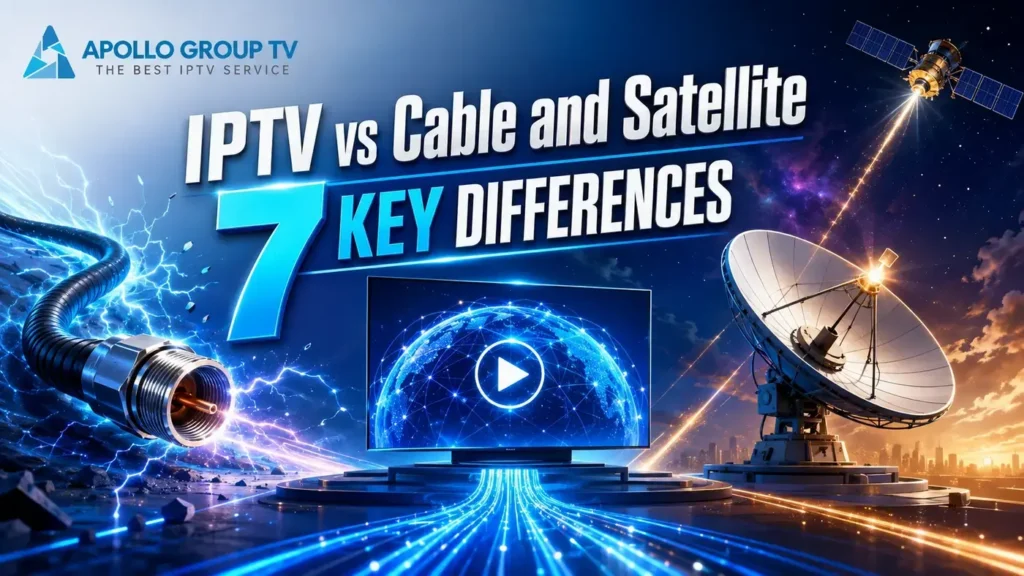
IPTV vs cable and satellite is mainly a comparison of delivery paths. IPTV moves video as network data toward an app or player, cable sends television service through a wired provider network, and satellite receives a broadcast from orbit through a dish. The screen may look similar, but the equipment, control model, delay and likely failure points are not the same.
The quick answer
Choose by examining the route that reaches your home, the hardware that route requires and the type of control you expect. No delivery method wins every category. A wired or satellite installation can provide a dedicated television path, while an IP-based experience can make the viewing interface easier to carry between compatible screens. Actual performance still depends on the provider, network and receiving equipment.
This comparison goes beyond a generic advantages-and-disadvantages list. It follows the signal from its delivery network to the television, then identifies what changes for the viewer at each stage. If the underlying terms are new, begin with our guide to what IPTV is and how it works, then return to the seven practical differences below.
IPTV vs Cable and Satellite at a Glance
The simplest way to understand the comparison is to separate the three routes before they reach the screen.
| Decision point | IP-based viewing | Cable television | Satellite television |
|---|---|---|---|
| Primary path | IP network | Provider cable network | Broadcast downlink |
| Home endpoint | App or player on a compatible device | Receiver, card or supported TV equipment | Dish plus receiver |
| Viewer control | Requests and playback controls depend on the platform | Depends on receiver and provider features | Depends on receiver and provider features |
| First checks when unavailable | Network path and playback device | Provider line and receiver | Dish path, weather exposure and receiver |
Difference 1: IP Packets, Coaxial Cable and Satellite Signals
An IP-based stream reaches the receiving device as network data. The player interprets that data, builds a short playback buffer and presents the video on the screen. Cable begins with a provider-controlled wired access path, commonly reaching the property through coaxial or hybrid fiber-coax infrastructure before television equipment decodes the service. Satellite television begins with a broadcast downlink; a correctly positioned outdoor dish collects the signal and sends it to a receiver.
The important distinction is not simply “wireless versus wired.” IPTV can travel over wired Ethernet or Wi-Fi inside the home, cable systems may carry IP services, and a satellite receiver may also connect to the internet for additional functions. What identifies the core route is how the main television signal reaches the household and which component must interpret it.
Difference 2: What Hardware Each Delivery Path Requires
IP-based viewing needs a working internet connection, a home networking device and a compatible screen or playback device. The software endpoint may be an installed app or a separate player, but it still depends on the network reaching that device. Cable television commonly needs an active provider line and either a receiver, a conditional-access module or television hardware supported by that provider.
Satellite service adds an outdoor dish, a clear mounting position, cabling from the dish and a receiver that can decode the broadcast. These are path requirements, not a ranking of individual apps or streaming boxes. The practical question is which components must remain connected for the picture to appear. A television alone may be enough only when its built-in hardware and software already support the chosen delivery system; otherwise, an external endpoint remains part of the chain.
Difference 3: How the Selected Channel Reaches the Viewer
With an IP delivery model, selecting a channel or video usually causes the app or player to request the relevant stream. The platform then sends the requested data toward that viewer through an IP route. In a traditional broadcast model, many channels can arrive at the receiver together, and the receiver selects the one that should be decoded for display. Cable and satellite systems differ in their physical transport, but both can use this broadcast-style logic.
Modern systems blur the boundary. Cable and satellite providers may add on-demand libraries, connected receivers and companion apps, while an IP television platform may combine live linear streams with stored programs. That is why the visible menu cannot identify the delivery method by itself. Look behind the interface: determine whether the selected program depends primarily on an IP request, a provider cable feed or a dish receiving a downlink.
Difference 4: Linear Schedules, Requests and Viewer Control
IP delivery is naturally suited to sending a requested item to a particular player, so search, resume and time-shift controls can be integrated into one interface when the platform supports them. Traditional cable and satellite began as scheduled broadcast systems, where the receiver displayed a channel already arriving in the service package. Their modern receivers can also offer recordings, program guides and requested content, so interactivity is no longer exclusive to IP delivery.
The useful comparison is where the control is executed. An app may send a request to a remote platform; a receiver may tune a broadcast, play a local recording or contact a provider’s connected service. Availability varies by provider and device. This section only separates the control paths; the detailed differences among live television, on-demand libraries and catch-up viewing belong in their dedicated guide.
Difference 5: Fixed Installations vs Portable Screens
A cable receiver normally stays near the provider connection installed in the property. A satellite receiver is similarly tied to the cable coming from a correctly mounted dish. You can distribute those signals inside a home with additional supported equipment, but the primary reception hardware remains location-dependent.
An IP-based player can be installed on different compatible screen types, so the viewing endpoint is easier to move from a television to a phone, tablet or computer. Portability does not mean unlimited simultaneous use or guaranteed operation on every network. Device compatibility, account connection rules, local network quality and provider conditions still apply. The narrow distinction is physical: a portable IP client does not need to remain beside a wall television outlet or the cable from a rooftop dish, while cable and satellite reception depend on those installed endpoints.
Difference 6: Latency and Live-Viewing Delay
Every television path introduces processing time. A live IP stream may be encoded, divided into segments, distributed through servers, buffered by the player and decoded by the device. Each stage can add delay, while the buffer protects playback against short changes in network delivery. Cable and satellite also encode, distribute and decode video, but their broadcast paths and receiver behavior are different.
That makes absolute claims such as “satellite is always faster” or “IPTV has no delay” unreliable. Two viewers using the same delivery category can experience different timing because their providers, formats, receiver settings and distribution paths differ. For a practical comparison, observe the gap against a known live reference and repeat the observation on the same screen. Do not treat a single result as a permanent rating of the entire technology.
Difference 7: Three Failure Points Before the Screen
The three routes tend to fail at different points. For IP viewing, the break may sit between the remote stream and the home network, between the router and the playback device, or inside the app/player itself. Cable service adds a physical provider line and receiver to the chain, so an outage, damaged connection or receiver problem can interrupt the picture.
Satellite depends on the downlink reaching a correctly aligned dish, then passing through its cable and receiver; obstruction, severe weather exposure or equipment movement can affect that path. This is a map of likely failure zones, not a troubleshooting procedure. Its purpose is to identify which chain you are examining before changing settings. Detailed repair steps should be handled separately, because restarting an IP player cannot realign a dish, and checking a dish cannot restore a failed internet route.
Which Television Delivery Method Fits Your Setup?
Use the environment as the starting point. The comparison is more useful when it produces a shortlist than when it declares a universal winner.
You want app-based navigation across compatible screen types and your home network can support continuous video delivery.
Your property has a supported provider line and you prefer television centered on installed receiver equipment.
The property can support a correctly positioned outdoor dish and the receiver-based broadcast route suits the location.
Do not compare labels alone
Modern television services can combine broadcast, managed IP and open-internet components. Confirm the actual signal path and required equipment instead of assuming that the menu design reveals the technology.
Do not use price as a fixed technical difference
Plans, installation costs, equipment charges and contract terms change by provider and region. This guide deliberately keeps commercial claims outside the seven technical differences.
Common Questions About IPTV, Cable and Satellite
These answers clarify the comparison without turning it into a setup or repair guide.
Is IPTV the same as ordinary internet streaming?
Not always. In strict technical usage, IPTV may refer to television delivered through a managed IP network. Consumer usage often applies the term to app-based television delivered through the open internet. Both move video using Internet Protocol, but network control and delivery architecture can differ.
Does cable television always use a coaxial cable?
Not across the entire provider network. Many cable systems combine fiber and coaxial segments, and newer services may incorporate IP delivery. The household endpoint and receiver requirements are more useful comparison points than assuming one material runs from the source to the screen.
Is satellite television completely wireless?
The signal travels wirelessly from the satellite to the outdoor dish, but the dish normally connects by cable to receiving equipment inside the property. The full chain therefore includes both a radio downlink and physical household equipment.
Which option has the lowest delay?
There is no universal answer. Encoding, distribution, buffering and receiver behavior influence delay on every path. Compare actual services under similar conditions instead of assigning one fixed latency value to an entire delivery category.
What is the main lesson from IPTV vs cable and satellite?
Trace the signal. Identify the network or broadcast route, the hardware required at home, the point where the viewer’s request is handled and the components that can interrupt playback. Those facts are more useful than broad claims about one technology being best.
Start with the Path, Then Judge the Experience
IPTV, cable and satellite can all place moving pictures on the same television, but they do not arrive there in the same way. In an IPTV vs cable and satellite comparison, separating the route, equipment, control layer, portability, timing and failure zones makes the result practical.
For readers exploring an app-centered route, the apollo tv group homepage provides the current service overview. Check current compatibility and service conditions there rather than carrying technical assumptions from this general comparison into a purchase decision.