A mesh system is the most commonly recommended purchase in home networking and one of the most commonly wasted. People buy one because their television buffers, then discover the buffering is unchanged and the money is gone.
That happens because mesh WiFi for streaming solves exactly one problem, and it is not the problem most people have. Five short checks tell you which camp you are in, and four of them cost nothing.
What Mesh Actually Solves — and What It Doesn't
Mesh replaces a single router with several coordinated units, so the signal starts closer to wherever you happen to be. That is a coverage improvement, and coverage is one cause of streaming problems among several.
Three of those five are the common causes of streaming trouble, and mesh addresses none of them. That is the whole reason for testing before buying.
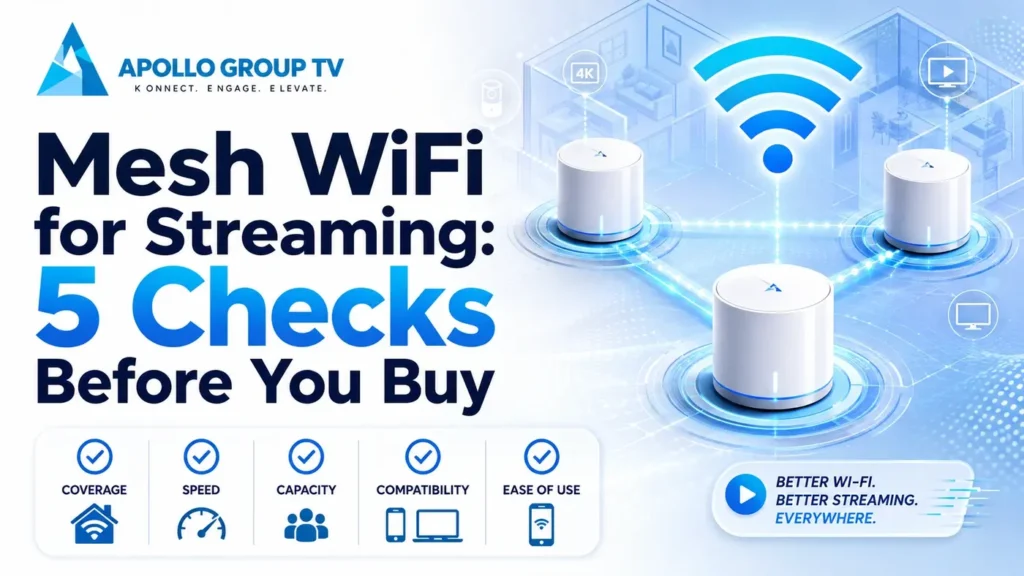
Free before paidFive Checks Before You Spend Anything
Each check has a clear outcome. Work through them in order and stop at the first one that rules mesh WiFi for streaming out as the answer.
1. Test wired, sitting next to the router
Plug a laptop directly into the router and run a speed test. This is the ceiling for your entire home, and nothing wireless can exceed it.
2. Check the signal strength at the television
Open the network settings on the streaming device and look at the reported signal, or use a wireless analyzer app standing in that exact spot.
3. Establish whether one device or all of them struggle
Stream on a phone standing beside the television, then on a laptop. Compare with how the television itself behaves.
4. Note whether it only happens in the evening
Run the same test at three in the afternoon and again at nine at night, on the same device in the same place.
5. Ask whether a cable could reach
Consider the actual route: along a baseboards, through a doorway, or via a coaxial socket using an adapter.
Four of these five checks can rule mesh out. If you reach the end and it still looks like the right answer, you are buying with evidence rather than hope, which is the difference between a fix and an expensive guess.
Mesh vs Extender vs Wired Access Point
Mesh is one of three approaches, and it is not automatically the best of them.
Several units sharing one network name, handing devices between themselves automatically. Simple to set up, and the most expensive option.
Wins whenCoverage is poor across a large or multi-story home and running cable is impractical.
A single repeater rebroadcasting the router's signal. Cheap, but it typically halves throughput because it receives and retransmits on the same radio.
Wins whenOne specific room needs coverage and the traffic there is light.
A second unit connected back to the router by cable, providing full-speed wireless in its area with no throughput penalty at all.
Wins whenA cable can reach the far end of the house. Best performance per dollar spent.
The wired access point is consistently underrated. If a cable can reach anywhere near the problem area, it delivers what mesh promises without the compromise that comes from carrying traffic wirelessly between units.
Buying properlyWhat to Look For If You Do Buy
Four specifications matter for video. Everything else on the box is marketing.
- Wired backhaul supportThe ability to connect units to each other by cable rather than wirelessly. Even one wired link transforms performance, and any system worth buying supports it.
- Tri-band, if the units must talk wirelesslyA third radio dedicated to communication between units means your television is not sharing airtime with that traffic. On dual-band systems it is.
- The right number of unitsTwo covers most homes. Three suits large or multi-story properties. More units than you need adds handover complexity without adding coverage.
- EasyMesh certificationAn open standard from the Wi-Fi Alliance that lets units from different manufacturers work together, so you are not locked to one brand when you expand later. Their explanation of the multi-access-point standard covers what the certification guarantees.
Placing the Nodes
Placement decides whether mesh WiFi for streaming works properly or disappoints, and the instinctive position is usually wrong.
The common error is putting the second unit in the dead zone. It cannot help there, because it needs a strong connection back to the first unit before it can serve anything. Place it roughly halfway between the router and the problem area instead, where it still receives a solid signal.
Height matters as well. Units belong on a shelf or table rather than the floor, since wireless signals spread outward and downward more readily than upward. Keep them clear of large metal objects, mirrors and aquariums, all of which block or reflect the signal far more than drywall does.
Test after each move rather than positioning everything and hoping. Run a speed test at the television, shift the middle unit a foot or two, and test again. Ten minutes of this is worth more than any amount of guesswork about optimal positioning.
Check the link between the units, not just the signal at the TV
Every mesh app reports the connection quality between units, usually described as backhaul, uplink or connection strength. This is the figure that decides everything downstream, and it is the one people never look at.
A useful rule: run a speed test standing next to the second unit and compare it against the wired result you took at the router in check one. Anything below roughly half of that figure means the units are too far apart, and moving the second one closer will improve the far end of the house even though it feels like moving in the wrong direction.
If coverage turns out not to be your problem after all, the ordered sequence in our guide to home network setup covers the other causes in the order worth checking them. apollo tv service plans are set out in full if you are still deciding what to run on the network once it is sorted.
Frequently Asked Questions
Will mesh WiFi for streaming stop my picture freezing?
Only if the freezing is caused by weak signal at the television. If a wired test in the same spot shows the same problem, the cause is elsewhere and mesh will not reach it.
Can I keep my existing router?
Usually yes, by putting it into modem-only or bridge mode so the mesh system handles the network. Running both as routers creates a double-NAT arrangement that causes odd, hard-to-diagnose problems later.
How many units do I actually need?
Start with two and add a third only if testing shows a gap. Manufacturers size their kits generously because larger kits cost more, not because most homes need them.
Is Wi-Fi 6 or 7 worth paying for?
Newer generations handle many simultaneous devices better, which helps busy households. For a single television they add little, since even older standards carry far more than a stream requires. Spend the difference on wired backhaul instead.