A playlist is a map, not the media itself.
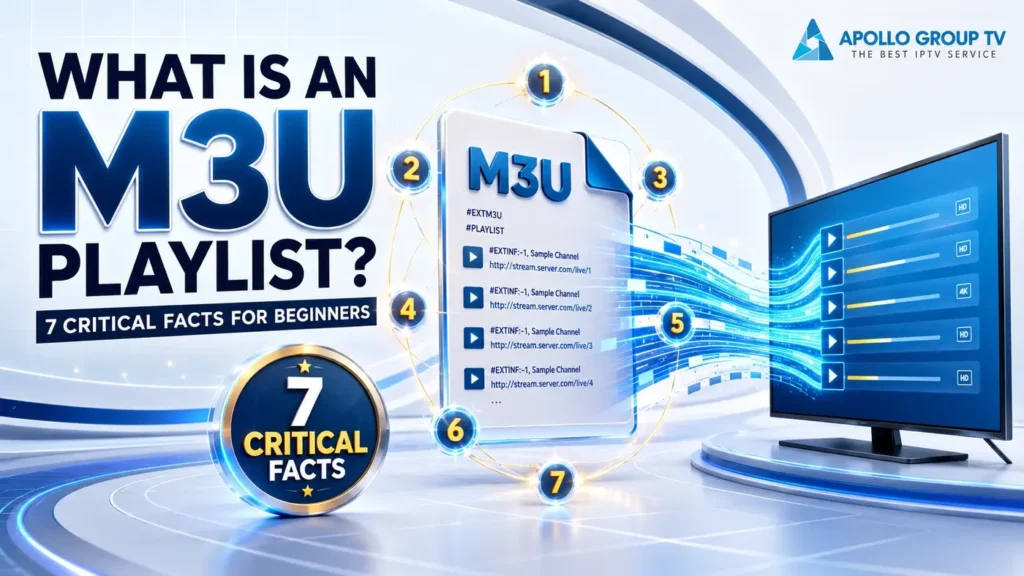
If you are asking what is an M3U playlist, the shortest answer is this: it is a plain-text list that tells compatible software where media entries are located. It may point to files stored on a device, locations on a network, or remote media addresses. The playlist organizes those references; it does not contain the actual video or audio.
This distinction makes M3U easier to understand. The file holds directions, a player interprets them, and a separate media location supplies the content. That small chain fits inside the broader explanation of how IPTV content reaches a player.
Quick answer: the playlist is a lightweight instruction layer between a list of media references and the software that attempts to open them. A valid list can describe content without proving that the destination is available, authorized, safe, or playable.
What Is an M3U Playlist? A Text Pointer List
An M3U file is readable text arranged as a sequence of entries. Each entry identifies a location that compatible software can try to open. The location may be an absolute path on one machine, a path relative to the playlist, or a remote address. That is why the file itself is normally tiny even when it represents a long list of media.
The useful mental model is a set of bookmarks. A bookmark remembers where something is; it does not carry the destination inside it. In the same way, the playlist can be copied or moved while the referenced media remains somewhere else. The neutral M3U playlist format reference documents this plain-text structure and the types of locations an entry can identify.
Order can also carry meaning. A player normally presents entries in the sequence recorded by the list unless its own interface sorts or filters them. The playlist therefore acts as both a location map and a lightweight ordering layer, without becoming a media library itself.
Absolute location
A complete location points to one specific place on a storage system.
Relative location
A shorter location is interpreted in relation to where the playlist sits.
Network address
A remote reference asks the player to contact another location for media.
A Playlist Points to Media Instead of Storing It
What is an M3U playlist not? It is not a video archive, a channel database, a subscription, or a media player. Its job is narrower: arrange references and pass them to software that understands the format. Deleting the playlist does not necessarily delete local media files, and keeping the playlist does not preserve a remote source.
This separation also explains why two files with nearly identical names can behave differently. One may contain only a few working references, while another may point to locations that have moved or become unavailable. File size tells you about the amount of text, not the duration, resolution, catalogue size, or quality of the referenced media.
Changing the filename or its extension cannot pull media into the document. The data remains a set of directions. To keep access working, the relationship between those directions and their destinations must remain intact, whether the destination is stored locally or reached across a network.
Order and directions
The text can preserve entry order, locations, and limited descriptive information that helps a player label the list.
Media and access
The actual stream or file, its availability, access rules, and playback quality remain separate from the playlist.
Extended M3U Adds Descriptive Metadata
A basic playlist can work as a simple sequence of media locations. An extended playlist adds a descriptive layer around that sequence. A header can identify the extended form, while a metadata line can describe the entry that follows it. A compatible player may use those descriptions to present a cleaner label instead of displaying a raw location.
Metadata remains different from the media reference. The description helps the interface identify an entry; the following reference tells the player where to request it. A player may ignore information it does not recognize and still try to process the location. Support therefore varies between apps, even when they can all open the same general file type.
Missing optional descriptions do not automatically make the underlying reference invalid. In that case, a player may fall back to a filename, location, or generic label. Conversely, detailed metadata can look complete while the destination behind it is no longer reachable.
M3U vs M3U8: The Encoding Difference
M3U and M3U8 belong to the same playlist family, but the second extension explicitly indicates UTF-8 text encoding. Encoding is the rule used to represent written characters as bytes. UTF-8 matters when names include accents, non-Latin scripts, or symbols that older local encodings may interpret inconsistently.
The extension does not, by itself, promise better video quality, faster delivery, a larger list, or broader access. It tells compatible software how the playlist text should be decoded. A correctly decoded label may still point to unavailable media, while a working destination may appear with broken characters if the text encoding is interpreted incorrectly.
This gives encoding problems a different signature from delivery problems. Misread encoding usually affects how text labels appear; it does not manufacture or repair the destination. Media availability still depends on the referenced location and the system serving it.
Text interpretation: may rely on a system or local character encoding.
Practical risk: labels can display inconsistently when characters fall outside that encoding.
Text interpretation: explicitly uses UTF-8 for a wider, consistent character range.
What stays separate: the media location, availability, authorization, and playback conditions.
How a Player Reads an M3U Playlist
A useful way to answer what is an M3U playlist is to follow what happens after software receives it. First, the player reads the text. Next, it separates descriptions from media locations and resolves relative locations when necessary. It then requests the selected destination. Finally, if the destination responds with media the player supports, playback can begin.
The playlist does not decode video, display controls, or maintain the connection. Those responsibilities belong to the player and the wider delivery path. This is why the distinction between an IPTV service vs IPTV player matters: one side makes media available, while the player interprets access information and handles playback on the device.
Different players can present the same list differently because navigation, search, grouping, buffering behavior, and codec support belong to the software. The playlist supplies the reference layer; it does not impose one universal interface or guarantee identical playback behavior on every device.
Read
The software opens the playlist as structured text rather than treating it as a video file.
Resolve
It identifies descriptions and determines the location associated with the chosen entry.
Request
The player asks the local, network, or remote destination for the referenced media.
Play
Playback starts only if the source responds and the returned media is compatible.
Why Valid Text Can Point to Unreachable Media
Text validity and media reachability are two separate tests. A playlist may be perfectly readable and correctly organized while one of its destinations no longer exists. A local file might have moved, a relative path may no longer match the playlist location, a remote address can change, or the remote endpoint may simply be unavailable.
The reverse distinction also matters: a reachable address does not guarantee that a particular player can decode what it receives. The player may lack support for the returned format, or access may depend on conditions that the playlist cannot supply. None of these outcomes changes the playlist’s core role as a list of references.
Relative locations add another dependency: moving the playlist without moving its related media in the same arrangement can break the relationship between them. The text has not necessarily become malformed; its point of reference has changed, so the resolved destination is now different.
The player can parse the text and identify a location without finding a structural problem.
The referenced destination must still exist, respond, permit access, and return compatible media.
Three Security Boundaries Before Loading a Playlist
A plain-text container should not be confused with a trust certificate. Opening a playlist can instruct software to contact remote hosts, so the origin of the file still matters. Only load access information supplied through a source you already recognize and are authorized to use. An unexpected attachment or unfamiliar location deserves caution, even when its filename looks ordinary.
Some private media references may contain access strings inside the address. Treat those details like credentials: do not publish them, paste them into public tools, or expose them in screenshots. Finally, remember that readable text cannot verify the reputation, ownership, or security of every remote destination it names. Keep the player and device updated, and avoid loading unknown files merely to see what they contain.
A familiar extension is not proof that a file came from the source named in its message or filename. Source identity, permission to use the references, and the safety of contacted destinations are separate checks. The playlist format cannot perform those checks on the user’s behalf.
Confirm the origin
Know who supplied the playlist and why you received it before a player contacts its destinations.
Protect private access
Keep addresses containing account or access information out of messages, screenshots, and public pages.
Separate text from trust
A file being readable does not confirm that every remote destination is safe, available, or authorized.
So, what is an M3U playlist in practical terms? It is an ordered text map: descriptions can label entries, references identify destinations, and a compatible player requests and plays the media. Keeping those layers separate also makes the wider information from apollo television group easier to understand without confusing the service, playlist, and player.