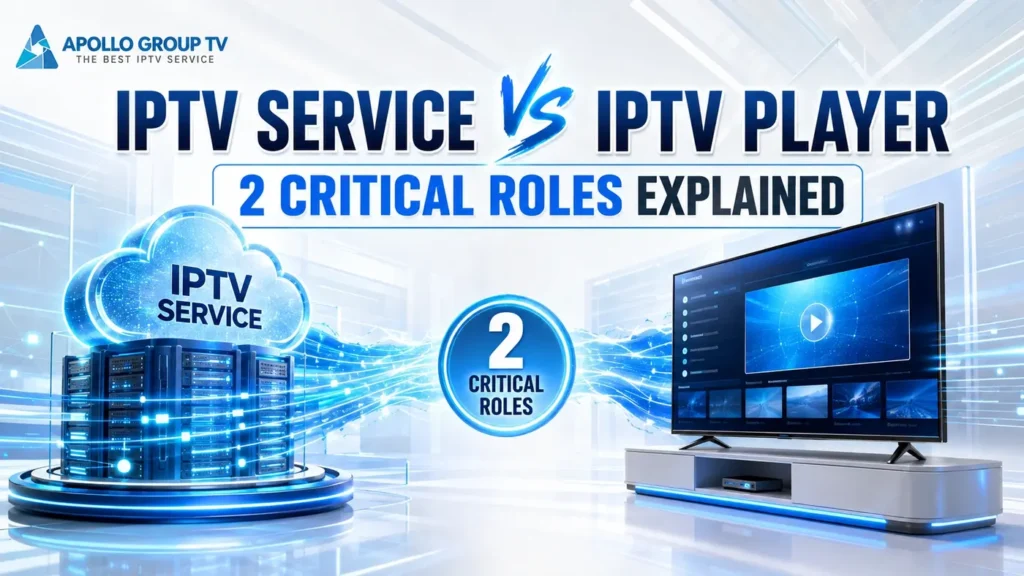
IPTV service vs IPTV player describes two connected roles, not two names for the same product. The service controls authorized access and supplies the stream or catalog data. The player is the playback component that receives compatible media, buffers it, decodes it and renders it on the screen. An app can connect these layers in one interface, but installing an app does not automatically create service access.
The direct answer
The service answers “what may this account access?” The player answers “how will this compatible stream play on the screen?” The app may contain the player and the sign-in interface, but that packaging does not merge the underlying responsibilities.
This guide follows the handoff between those layers instead of treating every playback problem as a provider problem or every account problem as an app problem. If the wider delivery chain is still unfamiliar, first review how IPTV works from source to screen.
IPTV Service vs IPTV Player at a Glance
The cleanest comparison begins by separating permission and delivery from playback. The app sits at the handoff point and may expose functions from both sides.
Service role
Recognizes the account, applies access conditions and makes authorized streams or catalog information available.
- Account access
- Catalog and metadata
- Stream availability
Player role
Accepts compatible media input, manages playback state and produces the picture and sound on the device.
- Buffer and decode
- Playback controls
- Audio, video and tracks
Role 1: What the IPTV Service Supplies
The service side establishes whether an account may connect and what that account is allowed to receive. It can return a content catalog, scheduling information, account status and addresses or sessions used to request media. Those elements originate beyond the playback device. A player may display them, but it does not create the underlying entitlement.
This distinction matters when an interface looks empty. The visible list may be presented by the app, while the data behind it comes from the service. A missing category, unavailable item or rejected account therefore cannot automatically be blamed on the player. The app might have failed to refresh, but the information may also be absent or unavailable at the service layer.
The service can be sold together with its own app or presented through compatible third-party software. Bundling changes the customer experience, not the technical boundary. Access still has to be recognized before media can be requested, and the player still has to understand and render what it receives.
Role 2: What the IPTV Player Does
The player handles the moment when a compatible media request becomes moving video and sound. It opens or receives the media input, maintains a playback buffer, interprets supported formats, sends video and audio through the device’s decoding path and renders the result. It also exposes controls such as play, pause, seeking or track selection when the stream and interface support them.
A player cannot grant an expired account new access, manufacture a missing catalog or decide what a service is authorized to offer. Its job begins after usable media information reaches the playback layer. Conversely, valid account access does not guarantee that every player can process every format. The software, operating system and decoding capabilities still have to support the media it receives.
That boundary is visible in ordinary media software. This media player technical overview describes playback from local files and data streams arriving over a network. It is a useful example of the player role, not evidence that every IPTV app uses the same engine.
Where the App Fits Between the Two Roles
An app is the software package the viewer opens. It may include a sign-in screen, catalog browser, search tools, settings and the playback engine itself. In that common arrangement, one app exposes both the service connection and the player controls, which makes the layers appear to be one thing.
They remain separable. Some apps are built around one service, while others act mainly as players that accept compatible access information. The same app can therefore contain the interface and player without owning the remote content service. This section is about software responsibilities only: it does not compare television apps with external hardware, recommend a device or judge one setup as better. The practical clue is the handoff. Account validation and catalog delivery belong to the service side; buffering, decoding and on-screen playback belong to the player side.
How Credentials Connect the Service to the Player
Credentials identify the account or session that is requesting access. The app collects the required information and sends it toward the designated service endpoint. If the request is accepted, the interface can receive authorized catalog data or media locations. The player then uses the compatible playback information supplied through that session.
Security boundary: The exact sign-in method varies, and private credentials should never be published, placed in screenshots or shared with an unknown person. A legitimate player needs enough information to connect; it does not need the user to expose that information publicly.
Service Side or Player Side? A Responsibility Matrix
The matrix turns the IPTV service vs IPTV player distinction into a first classification. “Likely layer” does not mean confirmed diagnosis; several symptoms can cross the boundary between the service, network, app and device.
| Observed function or symptom | Likely layer | Reason |
|---|---|---|
| Account access is accepted or rejected | Service / app connection | The service validates access, while the app carries the request and user input. |
| Catalog, categories or schedule data appear | Service data / app presentation | The information comes from the remote side and is organized by the interface. |
| Play, pause, seek or track controls respond | Player | These commands change the local playback state when supported. |
| A media format cannot be decoded | Player / device | The playback engine and device must support the incoming audio or video format. |
| Access conditions or account entitlement change | Service | The player cannot extend or create permission supplied by the remote account. |
| Playback pauses while data is arriving | Shared boundary | Delivery, the local network, buffering behavior and device performance can all contribute. |
Common Service and Player Mix-Ups
Most confusion starts when the visible app is treated as the entire delivery system. These boundaries prevent that shortcut.
A player supplies playback functions. It still needs authorized media information from a compatible service or another lawful source.
Account permission and playback compatibility are separate. A player must support the connection method and media it receives.
An app can contain navigation, authentication and a player engine. The word “app” describes the package; “player” describes the playback component.
A different interface may organize data differently, but it does not independently create the service’s remote catalog or account rights.
Playback crosses several layers. Delivery, the home network, buffer behavior, decoding and device load can produce similar visible symptoms.
Interface design shows how software presents controls. It does not by itself verify access, media availability or end-to-end performance.
Two Roles, One Playback Chain
A useful IPTV service vs IPTV player comparison follows the handoff. The service recognizes access and makes authorized media information available. The app carries that information through an interface, and the player turns compatible media into picture, sound and controls.
Keeping those responsibilities separate makes product descriptions easier to read and prevents one layer from receiving credit or blame for every result. For the current service overview and stated access conditions, consult the apollo television homepage rather than assuming that a general player feature is automatically part of the service.