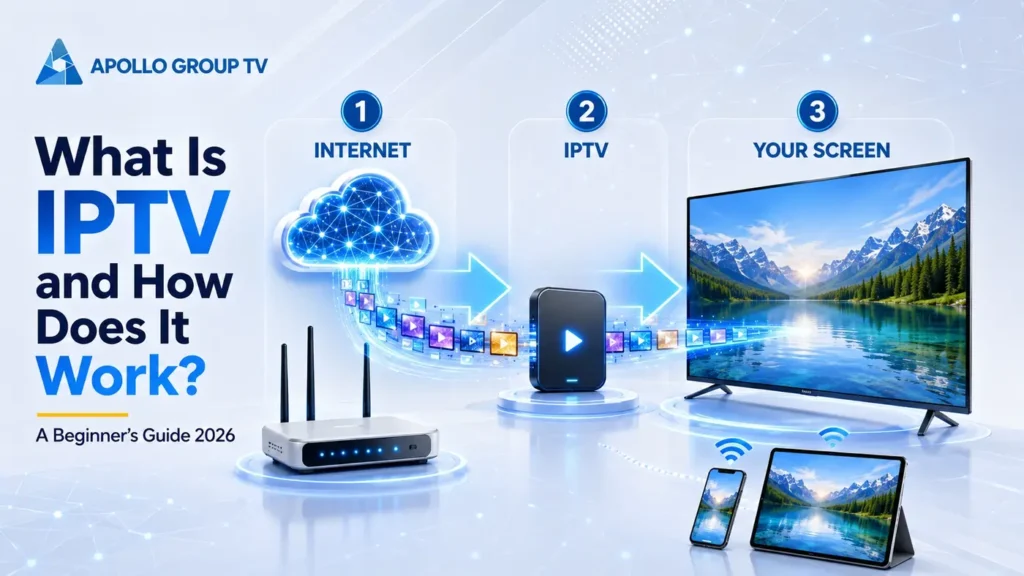
If you are asking what is IPTV and how does it work, the short answer is that television content travels through an Internet Protocol network to an app or player on your device. The complete path involves more than an internet connection: a source must be prepared for streaming, a service must organize access, a playlist or catalog must point the app toward available content, and the device must decode the video for the screen. This guide separates those layers so you can understand what each one does, what it does not do, and where common terms such as EPG, live TV, VOD, catch-up, bitrate, and codec fit.
IPTV delivers television using Internet Protocol. Instead of tuning to a radio frequency from a cable or satellite signal, the device requests a stream through an app or player. The service controls access, the playlist or catalog identifies available streams, the EPG adds schedule information, and the player turns received data into picture and sound.
What IPTV Actually Stands For
IPTV stands for Internet Protocol Television. “Internet Protocol” describes the networking rules used to move data between connected systems. In an IPTV setup, video is delivered as data that a compatible device can request, receive, decode, and display.
This request-based model is the important idea. A traditional broadcast sends a scheduled signal continuously across a delivery system. An IP-based service can instead respond when a viewer selects a live stream or an on-demand item. The provider still needs a source, processing infrastructure, access controls, and a delivery path; the viewer still needs a suitable app or player, a supported device, and a stable connection.
Pressing play does not normally download an entire program before viewing begins. The app first identifies the selected entry, checks which address or manifest belongs to it, and asks the delivery system for the first portion of media. The player keeps a small amount of received data ready in a buffer, decodes the audio and video, and continues requesting later portions while playback advances. If the requests arrive too slowly, the buffer can empty and playback may pause. If the device cannot decode the format, the request can succeed while the screen still fails to display the stream correctly.
IP network
Video reaches the device through network requests rather than a television frequency selected by a tuner.
Viewer request
The app requests a chosen stream or item, while the service checks access and returns the relevant data.
App and device
The player reads the stream, decodes its audio and video formats, and sends the result to the screen.
A request begins the session
The app identifies the chosen entry, the service checks access, and the player requests the data needed to start. The result depends on every layer responding correctly rather than on one “IPTV button.”
- Selection identifies a stream or stored item
- Access details connect the app to the service
- The player requests, buffers, and decodes data
One app does not equal the whole system
An installed app does not create service access, and an active account does not guarantee that every device can decode every stream. Internet access, account details, software compatibility, and device capability remain separate requirements.
- The internet connection carries the request
- The service supplies and controls access
- The device must support the playback method
In practice, IPTV is a coordinated delivery chain rather than one product. Knowing the chain helps you avoid blaming the television when the account details are wrong, changing internet settings when only the guide data is missing, or replacing an app when the device lacks the required decoding support.
What Is IPTV and How Does It Work from Source to Screen?
The source-to-screen path is easiest to understand as five connected stages. The exact infrastructure differs between services, but each stage performs a separate job, and a problem at any one of them can affect what finally appears on the screen.
Content source
A live feed or stored video enters the delivery workflow.
Encoding
Video is compressed into formats and quality levels suitable for network delivery.
Packaging
The stream is divided into segments and described by a manifest or playlist.
Distribution
Servers or a content delivery network respond to requests from viewing devices.
Playback
The player requests segments, buffers them briefly, decodes them, and displays the result.
Modern HTTP streaming may offer several versions of the same video at different bitrates. When adaptive delivery is available, the player can request a lighter or heavier version as network conditions and device capacity change. That is why the visible resolution is only one part of playback quality.
The order also explains why playback can fail in different ways. If an entry is missing from the catalog, the app may have nothing to request. If the delivery address cannot be reached, the player may show an opening error. If segments arrive inconsistently, playback may start and then pause. If audio works while the picture does not, the device or player may be struggling with the video format. These symptoms point to different layers and should not be treated as one generic internet problem.
For a deeper technical explanation of encoding, packaging, manifests, segments, CDNs, and player requests, see this HTTP video streaming pipeline. The source is used here for the delivery mechanics only, not to claim that every service uses the same architecture.
IPTV Service, App and Player
The service, app, player, and device are separate parts of the viewing setup. These terms are often treated as synonyms, but each layer has a different responsibility. Keeping them separate makes setup instructions easier to follow and helps identify which component needs attention.
Service
The service manages the account, permitted access, content catalog, stream addresses, and any connection rules attached to the account.
App
The app provides the interface: sign-in, categories, search, guide views, favorites, and controls. Some apps are tied to one service; others can load external access details.
Player
The player performs playback work. It opens the stream, reads the container and codec information, manages a buffer, and produces picture and sound.
Device
The device runs the software and decodes the media. Its operating system, available storage, memory, and hardware decoding support can influence the experience.
Useful distinction: an app can include its own player, so the app and player may look like one product to the viewer. The service remains a separate role because installing a player alone does not create an account or provide a content catalog.
IPTV Playlists and EPG Data
Inside the app, the stream map and the schedule map answer different questions. A playlist helps the app locate streams, while an electronic program guide helps the viewer understand what is scheduled and when.
Playlist or catalog
A playlist is a structured list of references that a compatible app can read. Depending on the system, access may arrive as a playlist URL, account-based login, or another service-specific method.
- Points the app toward available stream locations
- May contain names, groups, and other metadata
- Does not decode or display video by itself
Electronic Program Guide
An EPG supplies schedule information such as titles, start times, end times, and descriptions. The app matches that data to the relevant live entries and presents it as a timeline or guide.
- Organizes time-based program information
- Can be affected by time-zone or matching errors
- Does not determine whether a stream can play
A blank guide does not automatically mean the video stream is unavailable, and a populated guide does not guarantee that the associated stream will open. They are related in the interface but separate in the data path. Login details and playlist addresses should also be treated as private account information rather than shared publicly.
How Live and On-Demand Content Reach the Viewer
Live television, VOD, and catch-up use the same general delivery chain but start from different viewer choices. Live television follows a stream already moving according to a schedule, so the viewer joins at its current point. VOD opens a stored item and usually lets the viewer choose when playback begins. Catch-up links an earlier scheduled item to a retained recording that may remain available only for a defined window. In every mode, the app sends a request, the delivery system returns stream information or media segments, and the player decodes them. Pause, seeking, restart, and retention controls depend on the service and selected item; the category name alone does not promise identical controls.
IPTV Video Quality and Devices
Video quality cannot be reduced to a resolution label. The result on screen comes from the combination of the source, encoding choices, delivery conditions, player behavior, and device capability.
Resolution
The pixel dimensions of the video. A higher resolution can show more detail, but only when the source and screen support it.
Bitrate
The amount of video data delivered over time. Two streams with the same resolution can look different when their bitrates differ.
Codec
The method used to compress and decode video. The player and device must support the codec used by the stream.
Connection
Available bandwidth, latency, packet loss, local Wi-Fi conditions, and other network activity can affect segment delivery.
The viewing device matters because software support and hardware decoding vary. A built-in smart TV app may be convenient, while an external streaming device may offer a different update path, storage capacity, or decoder support. Neither category is automatically better for every household. The practical choice is the setup that supports the required app, receives updates, handles the stream formats, and remains comfortable to navigate with the available remote or controls.
Where IPTV Fits Among Television Delivery Methods
IP delivery belongs beside cable, satellite, and terrestrial broadcasting as a distinct television delivery method. Cable uses a cable network, satellite uses a signal received by a dish, terrestrial television uses broadcast transmitters, and IP delivery sends video as network data. In strict engineering language, traditional IPTV often refers to delivery inside a provider-managed network with controlled quality-of-service mechanisms. Internet-delivered video over an open network is more precisely described as OTT delivery. In everyday consumer language, “IPTV” is used more broadly for live and on-demand television viewed through an internet-connected app. This guide uses that familiar term while keeping the distinction clear. The label alone does not establish quality, reliability, availability, equipment, or controls; those depend on the service, network path, player, and device.
How Apollo Group TV Fits into the Process
Apollo Group TV fits into this model through an account journey that connects with the technical delivery chain. The website presents the service and current access options; the viewer then uses the supplied account details with the appropriate app or player setup.
The viewer starts from the current information provided by the service and selects the appropriate access option.
After receiving the relevant account details, the viewer enters them in the supported app or player indicated for the device.
The app requests the selected content, while the player and device handle buffering, decoding, controls, picture, and sound.
This overview explains the roles without assuming one fixed app version, menu path, device allowance, or plan condition. Those details can change and should always be checked against the current information on the Apollo TV website. Keep credentials private, use the exact setup information supplied for the account, and confirm that the chosen app is supported on the intended device before starting.
Beginner IPTV Checklist
Use this checklist to confirm the complete chain before trying to play anything. A missing service detail cannot be fixed by changing the player, and an unsupported app cannot be fixed by increasing internet speed.
- Confirm the service details.
Use the current instructions supplied for the account. - Choose a supported device.
Check operating-system and app compatibility before installation. - Install the correct app.
Use the source identified by the service or the device’s trusted app store. - Enter details carefully.
Preserve capitalization, punctuation, and the complete server or playlist address. - Protect account access.
Do not publish credentials, playlist URLs, or screenshots that expose private information. - Test one stream first.
Confirm basic playback before changing several device or network settings at once. - Check guide data separately.
A stream and its EPG entry are connected in the interface but use different data. - Review current connection rules.
Do not assume that installed devices and simultaneous active streams mean the same thing.
Common IPTV Questions
What is IPTV and how does it work in simple terms?
Think of it as a coordinated handoff rather than one product. The service acts as the access desk, the app is the control panel, the playlist or catalog is the map, and the player is the playback engine. Selecting an item starts a request; the player then receives, buffers, and decodes the returned video data for the screen.
Is an IPTV app the same as an IPTV service?
No. The service supplies and manages access, while the app supplies the interface used to enter account details, browse entries, open the guide, and control playback. Some service-specific apps combine several functions, but the roles remain different.
Does a playlist contain the actual video?
A playlist primarily contains references and metadata that tell a compatible player where to request streams or segments. It is not the same thing as a downloaded library of complete video files.
What does an EPG do?
An electronic program guide provides schedule data such as titles and times. The app matches that information to live entries and displays it as a guide. EPG data and stream playback are separate parts of the system.
Why can two streams with the same resolution look different?
Resolution is only one variable. Source quality, bitrate, codec, frame rate, compression, network delivery, player behavior, and device decoding can all influence the final picture.
Do I need a smart TV to use IPTV?
Not necessarily. The essential requirement is a supported device that can run the correct app or player and decode the stream. That may be a television with a compatible app or another supported device connected to a screen.
Is every internet television service technically IPTV?
Not under the strictest engineering definition. Traditional IPTV commonly describes managed-network delivery, while open-internet delivery is often classified as OTT. Consumer usage frequently applies “IPTV” more broadly to both types.
IPTV is a chain, not a single app. The source is prepared, the service organizes access, playlist and guide data help the app locate and describe content, the network delivers the requested stream, and the player and device turn it into picture and sound. Understanding those layers is the foundation for choosing a setup and diagnosing problems without changing unrelated components.